How to save a stock watchlist
To save a stock watchlist in Quantery, enter the symbols in the scan workspace, choose the run settings you want attached, give the list a descriptive name, and select Save. The saved item keeps the symbol set and scan configuration together. You can run it from the Watchlists panel or load it back into the form when the set needs an edit.
A stock watchlist is a reusable setup for following a defined group of companies. It isn't a thesis, a frozen data snapshot, or a record of why each company belongs. Quantery applies whichever thesis is active when you run the watchlist. That separation lets the same company set face different rules without copying tickers into every run.
What does a saved watchlist contain?
A Quantery watchlist stores the symbols and the settings visible in the scan form. Those settings include the data mode, gate choice, qualitative AI scoring state, any selected model override, and the score cap. If you use a score gate, its threshold travels with the saved setup too.
Symbols are normalized when the list is saved. You can paste them with commas or whitespace between them. Quantery converts them to uppercase and removes duplicates while preserving their order. That saves cleanup, but it can't tell whether a valid symbol belongs in your research set. A clean typo is still a typo.
The active thesis isn't part of the watchlist. Suppose you save a list while Buffett Quality Value is open, switch to Piotroski F-Score, and press Run on that saved list. The new scan uses Piotroski F-Score with the watchlist's stored symbols and run settings. This is useful when the question is, “How do several rule sets read the same companies?” It can surprise you if the watchlist name implies one thesis.
The saved item also doesn't copy filing data or prices. A later run reads the app's current local data. If new filings or prices have arrived, the output can change even when the watchlist and thesis stay fixed. Read how to refresh stock data before a scan before treating two runs as a controlled comparison.
Finally, a watchlist isn't a run archive. Completed scans have their own recorded results and settings. The watchlist is the recipe for launching another scan. Keep that distinction clear: one object prepares work, while the other records what happened.
How do you save and run a watchlist?
Start with a question narrow enough to explain in a sentence. “Companies named in this quarter's supplier review” is useful. “Interesting stocks” will become a drawer full of forgotten symbols.
Enter the symbols in the scan form and leave Full US universe off. When that control is on, the ticker field is ignored, which defeats the point of a saved company set. Then choose the data mode and gate behavior that belong to this recurring workflow. Decide whether qualitative AI scoring belongs in the run, and set a cap if you want to bound that pass.
Name the watchlist for its admission rule or research job. A good name survives a disappointing result because it describes why the set exists. Avoid names that announce a conclusion before the thesis has tested anything.
Enter the name beside the save control, then select Save. The watchlist appears in its own panel next to the scan form. Run launches it with its saved symbols and settings. Selecting the watchlist name or Edit loads the saved setup into the form, where Update writes your changes back to the same item.
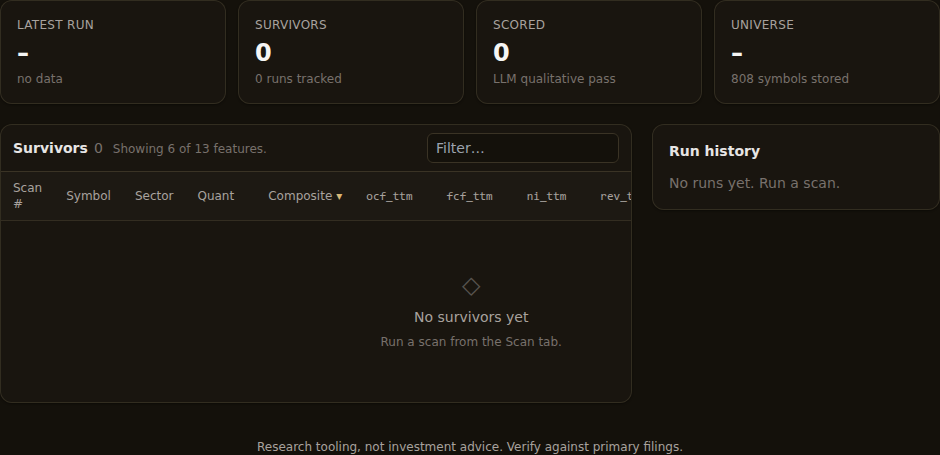
The ordinary scan form remembers its last-used controls after a reload, but that memory has no name and doesn't represent a research object. A watchlist does. Save the setup when you expect to revisit it or when you need to distinguish it from another recurring scan.
The Quantery documentation covers scans, gate behavior, and qualitative scoring. A saved watchlist doesn't make those choices permanent. Load it, change the controls, and use Update when the revised configuration is now the intended default.
How is a watchlist different from a custom universe?
Both features hold company symbols, but they sit at different layers.
A watchlist belongs to the scan workflow. It carries an explicit symbol set plus the controls used to launch a scan. It's convenient for a current research queue, such as companies awaiting a filing review or names tied to one industry question. You can run it directly and edit it from the same workspace.
A custom universe belongs to the thesis definition. The thesis refers to that named list as its candidate boundary. Scans and backtests can then resolve the universe through the thesis, and data work can target it too. The guide to building a custom stock universe explains that workflow and its point-in-time membership caveat.
Use the distinction to keep intent visible. Make the group a custom universe when it defines where a thesis is allowed to look. Make it a watchlist when you want to send a reusable set through the currently active thesis with saved scan controls.
Don't keep two copies by reflex. A watchlist and a custom universe with the same name can drift independently. Adding a company to one doesn't update the other. If both are needed, name them so their jobs are obvious and record which one governs each experiment.
How do you maintain the list without muddying the result?
Write an admission rule outside the app before the list starts growing. The watchlist stores symbols, but it doesn't store your evidence for adding them. A short research log can carry the source and date for each change, plus the reason behind it. That matters when you return later and can't remember whether a company entered because of a filing, an earnings call, or a passing mention in the news.
Edit membership separately from thesis rules. If you add companies, change the gate, and switch data mode in the same pass, a changed result has several possible causes. Make the membership edit first and record it. Then keep the thesis and saved controls fixed for the next run. If the rules need work too, make that a separate run.
The same discipline applies to removals. Deleting a company because it failed the thesis turns the input list into a reflection of the output. Remove it only when it no longer meets the watchlist's admission rule, and preserve the reason in your log. The thesis is supposed to produce uncomfortable failures. Let it.
A living watchlist will change. That's fine. It just can't be treated as a fixed historical cohort after the fact. Today's membership may include knowledge that wasn't available during an earlier period. If you need to preserve a cohort for later study, copy its dated membership into your notes before editing the live list.
How do you rerun the same research setup cleanly?
Before pressing Run, read the active thesis name and the loaded watchlist settings. The watchlist saves configuration, but the active thesis comes from the wider app context. That final check prevents a perfectly executed scan against the wrong rules.
Next decide what the rerun is meant to isolate. If you're asking how fresh data changes the result, keep membership, thesis version, and watchlist settings fixed. If you're testing a new gate, keep the symbols and data snapshot stable. If you're comparing theses, keep the watchlist unchanged and switch only the active rule set.
Queued scans still use the saved setup that launched them. If another task holds the local lake writer, the scan waits. Run next can move a queued scan ahead of other waiting work, but it doesn't interrupt the task already running. There's no need to keep rebuilding the form while you wait.
After both runs finish, use the workflow for comparing two screen runs. Check the recorded scope and settings before explaining additions or drops. A saved watchlist reduces accidental setup drift. It doesn't prove that the underlying data stayed unchanged.
Qualitative scoring deserves the same care. If a watchlist stores that control as enabled, running it can send gate survivors through the configured AI provider. The guide to qualitative AI scoring explains the gate-first flow and why the quantitative result remains the baseline. Turn the control off before saving when the recurring job is meant to stay quant-only.
What belongs outside the watchlist?
Keep the research claim, admission evidence, and change log in your notes. Keep the scoring logic in the thesis. Keep completed evidence in recorded runs. Let the watchlist do its smaller job: restore a named symbol set and the scan controls that belong with it.
That boundary makes the feature more useful, not less. You can inspect every rule in the active thesis, edit the watchlist when its real-world membership changes, and rerun without reconstructing the launch setup from memory. When a result moves, you've got fewer hidden choices to untangle.
Save the list when repetition becomes part of the research. Give it a name that explains the work. Then keep membership and controls legible, and track thesis changes separately so the next run answers the question you meant to ask.
Research tooling, not investment advice. Nothing here is a recommendation to buy, sell, or hold any security. Screens, scores, and backtests are informational only; backtested results are hypothetical, exclude costs such as commissions and slippage, and do not guarantee future results. Verify against primary filings and make your own decisions.
Want to try this on your own rules? Quantery is free for 14 days: the full app, no card required.
← All articles