Quantery 1.7: a report you can hand to someone
Quantery 1.7 is out: 1.7.0 and 1.7.1 on October 14, and 1.7.2 today with two fixes found while writing this post. Until now a scan's results lived on screen. You could open a survivor, click into any number, follow it to the filing, and that's still the heart of the app. But you couldn't put the run down on a table in front of someone else. 1.7 adds that.
Print report
Every survivors table has a new Print report button. It opens a paper-style view of the run you're looking at, on screen first, so you can read it before anything goes to a printer:
- A scan summary: the thesis, the universe scope and gate, the run's settings, and the sector and verdict mix of what passed.
- The thesis's criteria with your thresholds filled in. Whoever reads the report sees the rules the way the engine applied them, with the parameter values from that run.
- The ranked survivors table.
- A detail card per company: scores, every feature value, the catalyst, the qualitative notes, flags, and the sources the AI pass cited, if it ran.
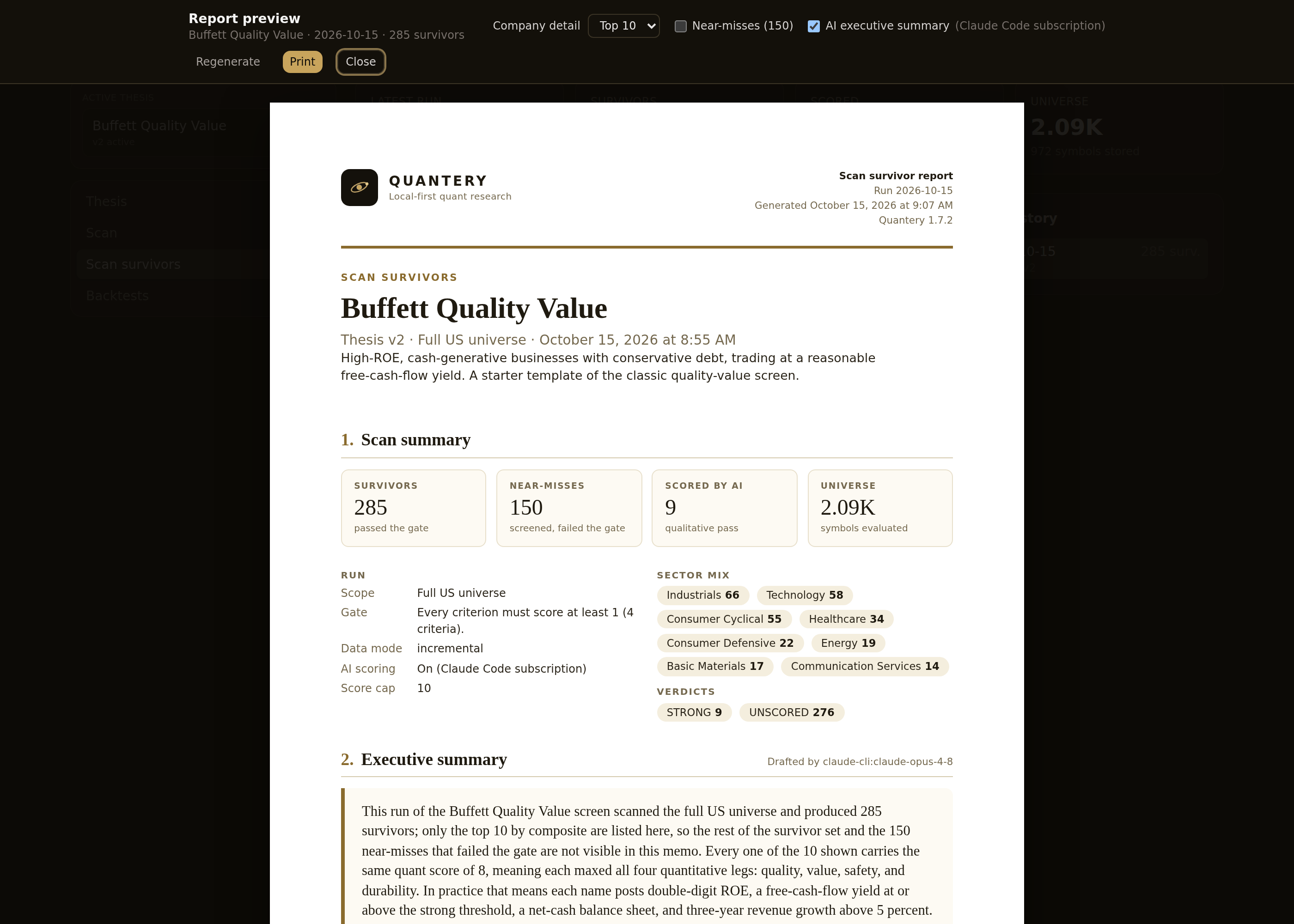
The report is a flat sheet with no app chrome, so it prints cleanly through the system dialog. In the desktop app, Save PDF writes a Letter-size file directly and asks where to put it. Near-misses can be appended, and the company detail can be limited to the top 10, 25, or 50 names, which keeps a 400-survivor run from turning into a 400-page document.
The optional AI memo
A toggle on the report, AI executive summary, asks the AI provider you configured in Settings to write a memo. It's off by default, and nothing is sent unless you turn it on. It works with every provider the app supports: a Claude Code or ChatGPT subscription, an Anthropic or OpenAI API key, or a local model.
The memo has two levels. At the top of the report, a short executive summary covers the set as a whole: what the survivors have in common, risks and watch items, and caveats. Then each company's own assessment, with strengths and concerns, sits inside that company's detail card next to its numbers. That's where it belongs. The question you ask of a company card is "why is this one here?", and the answer should be on the same page as the evidence.
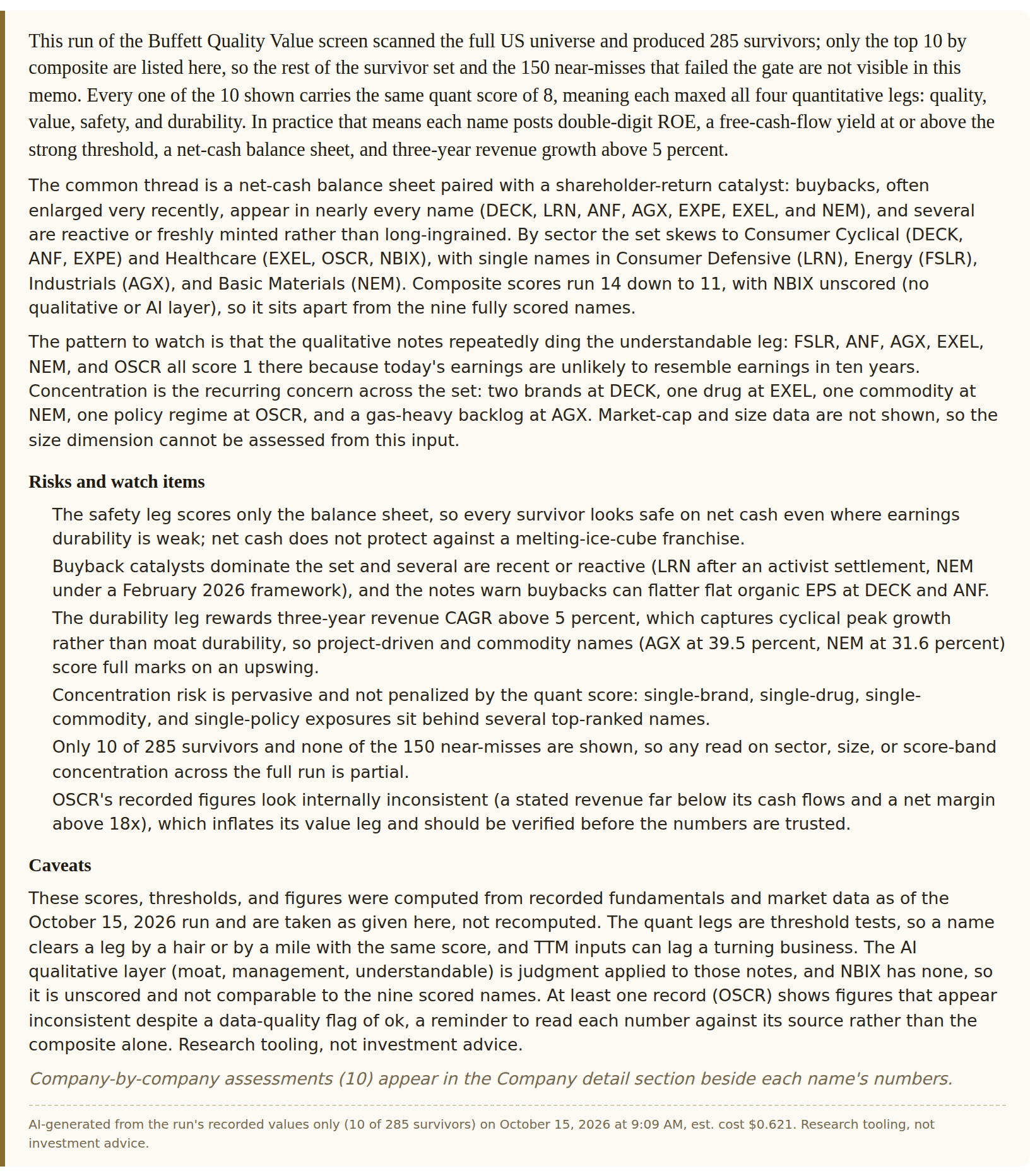
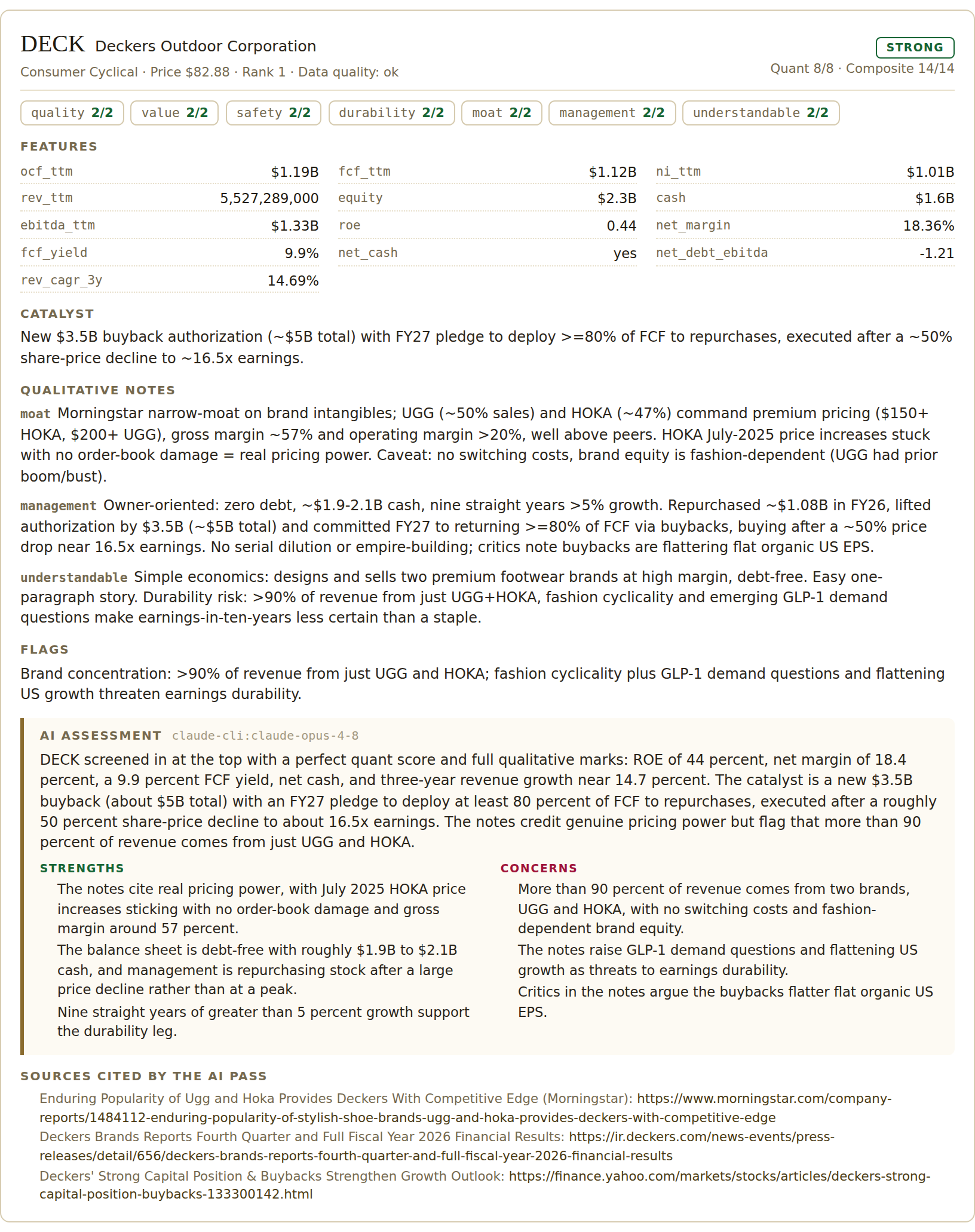
The memo is drafted from the run's recorded values only: the features, scores, notes, and flags the scan stored. The provider isn't sent off to look anything up, and the report names the model that wrote it. The memo covers exactly the companies in the detail section, and if you change the detail set after drafting, the Regenerate button says how many names the current memo doesn't cover.
A memo like this is a reading aid. It's good at saying what a set of numbers looks like together, which is slow to do by hand across 25 cards. It doesn't replace opening the filing, and it carries the same disclaimer as everything else in the app: research tooling, not investment advice.
What the company does, at the top of the page
Open any survivor and the company page now starts with a short profile: what the business does, followed by industry, headquarters, headcount, CEO, IPO year, and website. It comes from the first source that answers: your FMP key, Yahoo Finance when you've enabled it, or, as a last resort, the SEC's industry classification for the filer. That last case is labeled as a classification. A three-word SIC description is useful, but it isn't a description of the business, and the page doesn't dress it up as one.
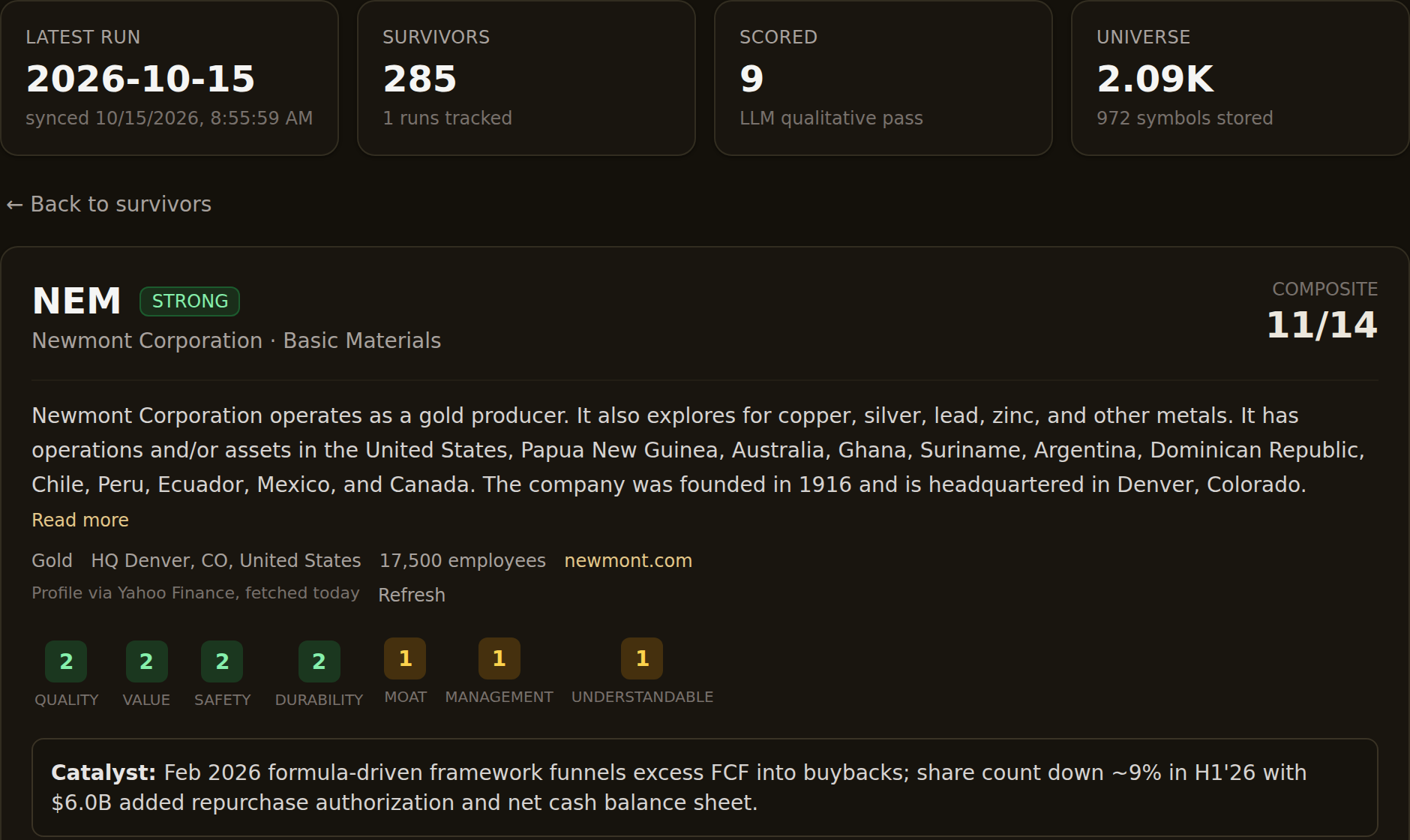
Profiles are kept locally for a month, and a Refresh button fetches again.
1.7.1 and 1.7.2: the fixes
The first build's Save PDF in the desktop app printed with no margins and clipped the right edge. 1.7.1 fixes it: the export now uses explicit Letter paper and margins instead of deferring to the stylesheet. 1.7.1 is also the build that moved the per-company assessments into the company cards; in 1.7.0 the whole memo sat at the top of the report.
1.7.2 fixes two things the screenshots above turned up. The memo arrives as JSON, and Claude's answer came back malformed twice in a row, in two different ways, so the page showed raw text instead of a memo. The parser now repairs those shapes, and a well-formed answer passes through untouched. And the report used to be built from the survivors table's first page, so a run with more survivors than the table shows printed the wrong count and left out its near-misses. The report now loads the whole run when it opens. If you're on 1.7.0 or 1.7.1, update.
Getting 1.7.2
Windows and Linux update in-app: open Settings, find Software updates, and click Check for updates. On macOS, grab the new build from the download page; in-app updates there arrive once signed builds ship. The report and the company profile are both described in the docs. If you hit anything odd, the Bug Report button in the app's Settings pre-fills an email with your version and platform.
Research tooling, not investment advice. Nothing here is a recommendation to buy, sell, or hold any security. Screens, scores, and backtests are informational only; backtested results are hypothetical, exclude costs such as commissions and slippage, and do not guarantee future results. Verify against primary filings and make your own decisions.
Want to try this on your own rules? Quantery is free for 14 days: the full app, no card required.
← All articles